
Service · Mobile app
Bespoke mobile app development
A bespoke mobile app comes into its own when it has to support users on the move: field interventions, viewing or entering data, taking photos, geolocation, scanning, notifications or access to business information.
Definition
What is a bespoke mobile app?
A bespoke mobile app is developed for a company’s uses, users and IT landscape, instead of adapting the organisation to an app from the market. Available on iOS and Android, it often extends business software to field teams, or offers a service to customers and partners.
At Idéematic, we start from the uses, the users and the project’s constraints before choosing the technology. We define the features, data exchanges and architecture required, then design the app for iOS and Android, taking into account its integration with existing tools, its go-live and its future development.
With React Native, which has taken over from Xamarin, we can design flexible, scalable solutions. We develop mobile apps that meet the requirements of different phone and tablet models and can be deployed on both iOS and Android.
When
When a mobile app becomes the right tool
Mobile is not an end in itself. It becomes relevant when a use has to follow the user away from their desk or complement an existing system. An app can be used to:
Extend business software
Extend business software or a web application to field teams.
At the right moment
Give access to certain functions at the moment they are actually needed.
A standalone service
Offer a standalone mobile service to customers, partners or employees.
On site
Enter and view information directly on site.
We therefore first check that mobile is the right medium for the need. Features come next, based on the project’s uses and constraints.
Approach
From scoping to development of your mobile app
We also identify the constraints related to the field, the IT landscape and the devices used.
- 1
Scope
An effective mobile app starts with precise scoping. Together with your teams, we define the users, the priority uses and the data required.
- 2
Design
We then design the user journeys and the app architecture. Exchanges with your APIs, business software or existing services are planned from this phase onwards.
- 3
Develop
Development proceeds in stages, with interim deliveries and regular approvals.
- 4
Go live
The app is tested before going live on iOS and Android.
Tailorfin illustrates this approach. We designed and developed a web and mobile wealth management application, with business journeys and several integrated third-party services.
Exchanges with your software are designed like any ERP, CRM and API integration.
Real-world use
Designing the app around real-world use
A mobile app should not reproduce every function of existing software. It should give access to what is genuinely useful on the move.
We therefore define the priority actions with you. We also look at the information the user needs at the right moment, because the context of use matters as much as the feature itself.
Depending on the project, we take into account in particular:
- the different user profiles and their rights;
- connectivity and synchronisation constraints;
- offline operation where necessary;
- the security of data exchanged or stored on the device;
- usability in real conditions of use.
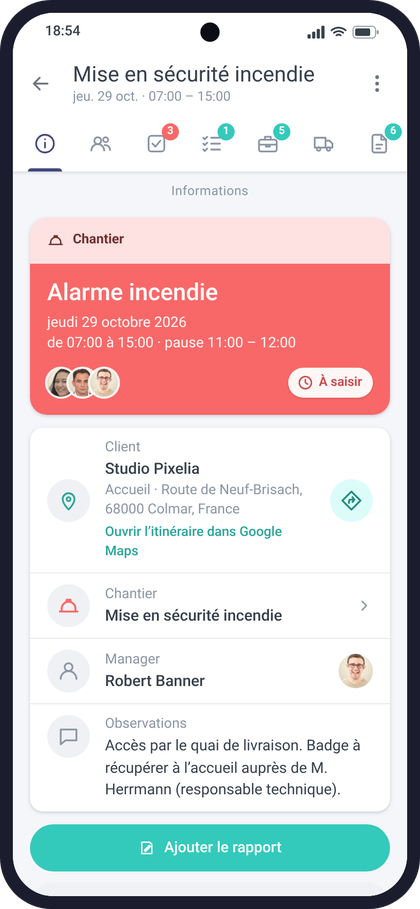
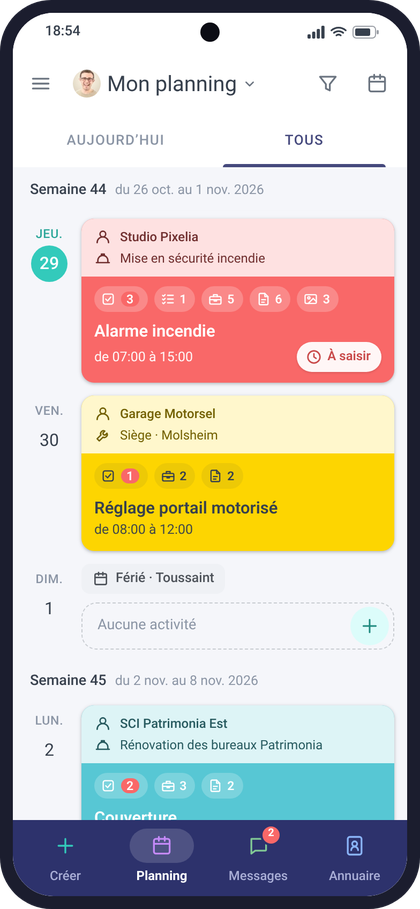
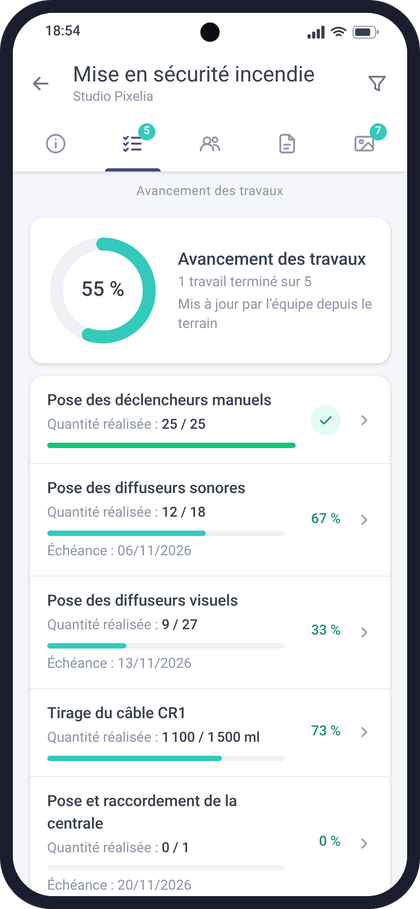
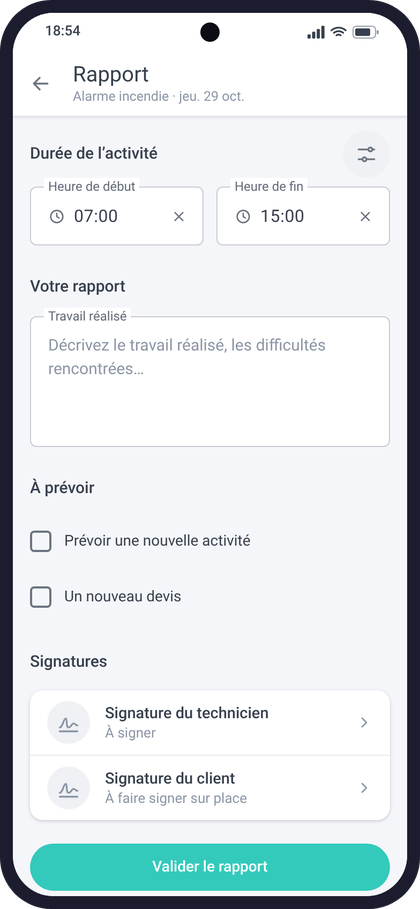
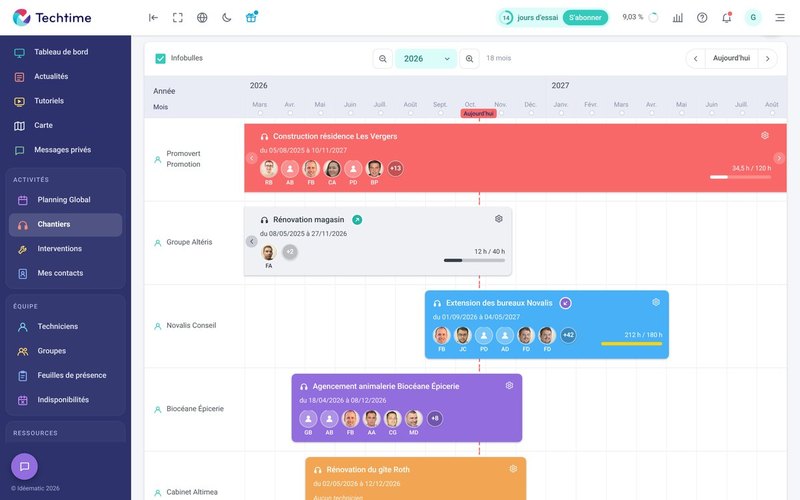
Techtime is a concrete example. The mobile app lets construction technicians view the activities to be handled and the information they need for their interventions, then send photos of the work, their observations or questions and their timesheets directly from the field. This information is then available in the web environment used to manage the business.
We are not afraid to question a feature if it makes the app more complex without adding enough value. The aim remains to build a useful tool that is simple to use and suited to the field.
Release
Preparing for release on iOS and Android
A mobile app must be prepared to work in real conditions before it is made available to its users. The different versions are tested to check the journeys, features, data exchanges and behaviour of the app on the devices concerned.
We build this acceptance testing phase into development in order to identify and fix bugs before go-live. When the app has to be distributed on the App Store or Google Play, we also take into account the technical constraints of these platforms and of iOS and Android versions.
Depending on the context, the distribution method may also differ, particularly for a business app intended only for a company’s employees. The aim remains the same: to prepare a stable version, suited to its users and to the way it will actually be deployed.
Technologies
Technologies chosen to suit the project
We develop apps in particular with React Native. This technology makes it possible to build apps for iOS and Android while sharing a large part of the development.
The choice is never automatic, however. It depends on the uses, the expected performance, the integrations required and maintenance constraints. We select the technical solution best suited to the project and its future development.
Discover our React Native agency. Further reading (in French): React Native or Flutter for a business application and native or hybrid app.
Native, cross-platform or web?
| Native | Cross-platform (React Native, Flutter) | Web app (PWA) | |
|---|---|---|---|
| Code | One codebase per platform (Swift for iOS, Kotlin for Android). | Code largely shared between iOS and Android. | Web code, used in the browser. |
| Performance | The best, for the most demanding uses. | Close to native for most business apps. | Dependent on the browser and the network. |
| Device features | Full access. | Camera, geolocation, scanning, notifications, local storage, through modules. | More limited access, especially on iOS. |
| Distribution | App Store and Google Play, or private distribution. | App Store and Google Play, or private distribution. | A web address, without going through the stores. |
| Maintenance | Two apps to evolve. | One codebase, plus framework versions to keep up with. | Like a web application. |
Maintain
An app designed to evolve
Go-live does not mark the end of the project. A mobile app must be able to keep pace with changes in your business and your uses.
We structure development to make maintenance and the addition of new features easier. We can also step in when APIs, connected services or iOS and Android systems change.
After launch, we can provide corrective and evolutive maintenance for the app. Improvements are then prioritised according to users’ real needs and the project’s objectives. An existing app can also be audited before being taken over.
Case studies
Mobile apps in production

In the client’s words
We make a good team!
Having started developing a React Native mobile app with a freelancer, admittedly an excellent one, I very quickly came up against the limits of that approach in terms of capacity.
So I contacted Idéematic to hand over technical responsibility for my business. Unlike a freelancer, Idéematic has a team: this gives me better responsiveness and a wider range of skills. We also talk a lot and decide together on the most effective approaches, both for development and for user experience. It is teamwork.
Idéematic now develops my mobile apps and their associated websites. Looking back, I think I would have saved time and money by starting directly with Idéematic.
Frequently asked questions
How long does it take to develop a bespoke mobile app?
The timeline depends on the functional scope, the number of journeys to design, the integrations required and the project’s specific constraints. We start by scoping these elements in order to set a realistic schedule before development.
Do you need to develop separate apps for iOS and Android?
Not necessarily. Depending on the project, technologies such as React Native or Flutter make it possible to share a large part of the development between iOS and Android. The choice depends, however, on the uses, the expected performance and the technical functions required.
Can a mobile app connect to our existing software?
Yes. A mobile app can exchange data with business software, a CRM, an ERP, a web application or external services through APIs. These exchanges are taken into account from the architecture design stage.
Can a business app work without a network connection?
Yes, when the use requires it. The necessary data is then stored on the device, and entries made offline are synchronised as soon as the network is back. This operation is planned from the design stage, with the appropriate synchronisation and security rules.
Mobile app or web application: which should you choose?
A web application is enough when use is mainly in the office or occasional. A mobile app becomes relevant for frequent use on the move, access to the phone’s features (camera, geolocation, scanning, notifications) or offline operation. The two often complement each other, as with Techtime.
What happens after go-live?
A mobile app must continue to be maintained and adapted to changes in its uses, the services it is connected to and the iOS and Android systems. Idéematic can provide this corrective and evolutive maintenance after launch.
Do you have a mobile app project?
Do you have a business need, an app idea or a project still to be defined? Let’s discuss the uses, constraints and genuinely useful features before deciding on the solution to design.