
Réalisation · Business application
Techtime, web and mobile business software for construction
Techtime is web and mobile business software designed for construction companies. It brings together site and intervention planning, team tracking, timesheets and reporting of information from the field.
In brief
Techtime
Idéematic has been designing, developing and evolving Techtime for several years. The web platform lets managers plan sites and interventions, assign teams, track activity and centralise useful information. The mobile app complements this in the field.
The screens shown on this page are from Techtime’s new web and mobile interface, with demo data.
- Business
- Web and mobile application for construction companies
- Our involvement
- Business application, Mobile app, Systems integration & IT, Web application
- Website
- techtime.fr
The context
A single tool for the office and the field
In a construction company, planning, team tracking and site information often go through several tools: spreadsheets, calls, messages, paper documents. Techtime was designed to bring together in one piece of software the main planning, tracking and communication needs of construction companies:
- management of sites and interventions
- real-time team tracking
- simplified attendance sheet submission
- electronic document management
- instant messaging to communicate with technicians in the field
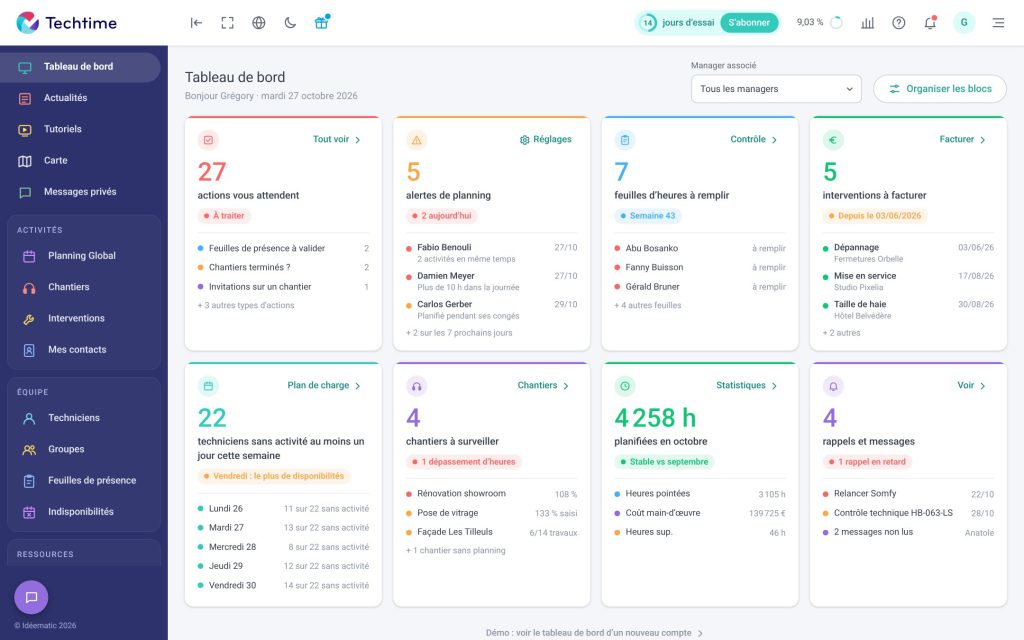
As soon as it opens, the dashboard gathers everything that requires action: attendance sheets to approve, schedule alerts, timesheets to fill in, interventions to invoice, technicians with no activity this week, sites to watch. Each manager arranges their blocks and filters the display on the teams they supervise.
The global schedule
Allocating teams without conflicts
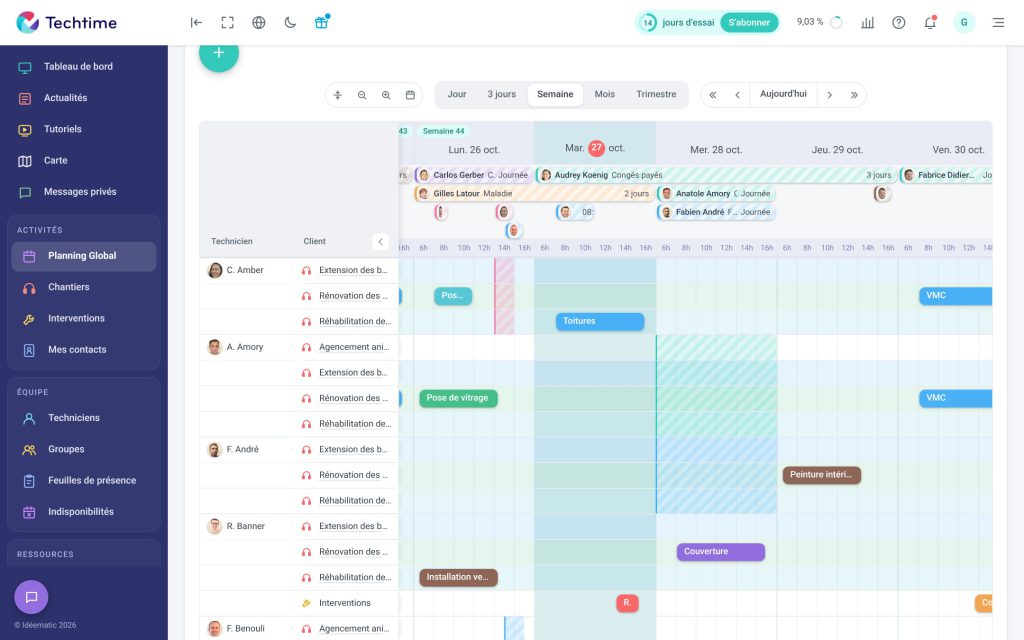
The global schedule shows each technician’s workload over the day, week, month or quarter. The allocation can be read by technician or by customer, and activities can be moved directly in the schedule.
Techtime flags activity conflicts on the same day and shows unavailability: holidays, absences, training. Week templates and schedule time slots adapt to each company’s organisation.
The sites
A clear, intuitive big-picture view
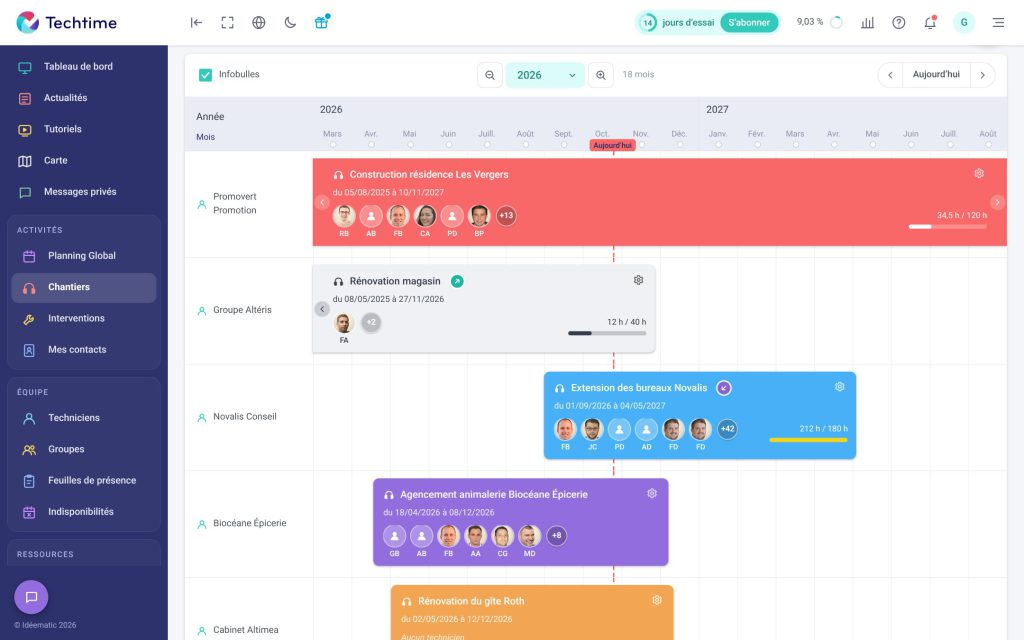
The site schedule gives managers an overall view of activity and the resources deployed. Presented as a Gantt chart, it lets them quickly see start and end dates, assigned teams, and the documents and key information associated with each site.
For each site, time tracking compares planned, spent and remaining hours, and flags overruns. The labour budget compares the quoted amount, the amount consumed and the remainder available.
The site record
All of a site’s organisation in one place
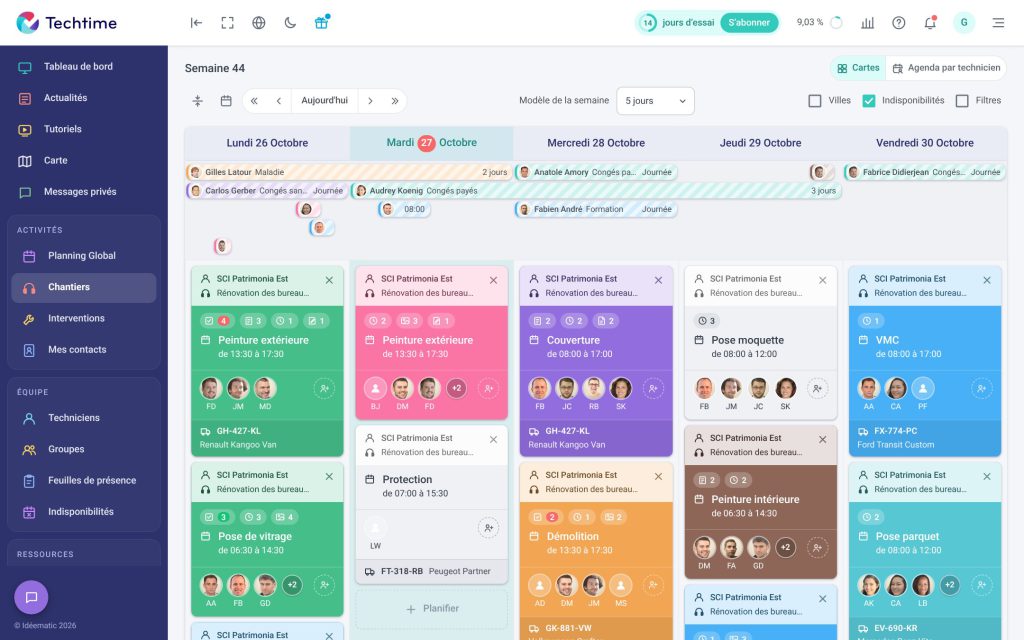
Sites and interventions are organised as activities and tasks, to which teams, information, equipment, vehicles or documents can be attached. This organisation lets managers structure the work precisely and have a clear view of the resources deployed.
The site record brings together the week’s schedule, resource allocation, planned and completed work, tasks, history, reporting and documents. An activity catalogue prepares the work: each activity type has its tasks, equipment and specialist technicians, picked up automatically at scheduling.
Interventions
Call-outs tracked through to invoicing
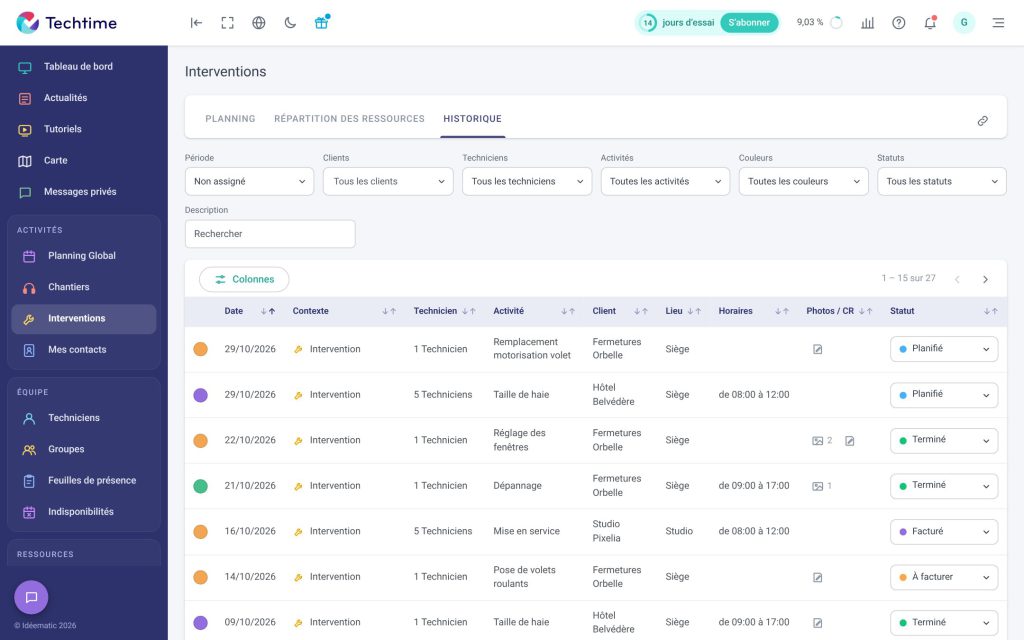
Alongside sites, Techtime manages one-off interventions: call-outs, commissioning, servicing. They have their own schedule, resource allocation and history.
Each intervention follows a status, from “scheduled” to “completed”, then “to invoice” and “invoiced”. The technician’s photos and reports are attached to it, and the dashboard lists the interventions still to be invoiced.
The mobile app
The schedule and site information in your pocket
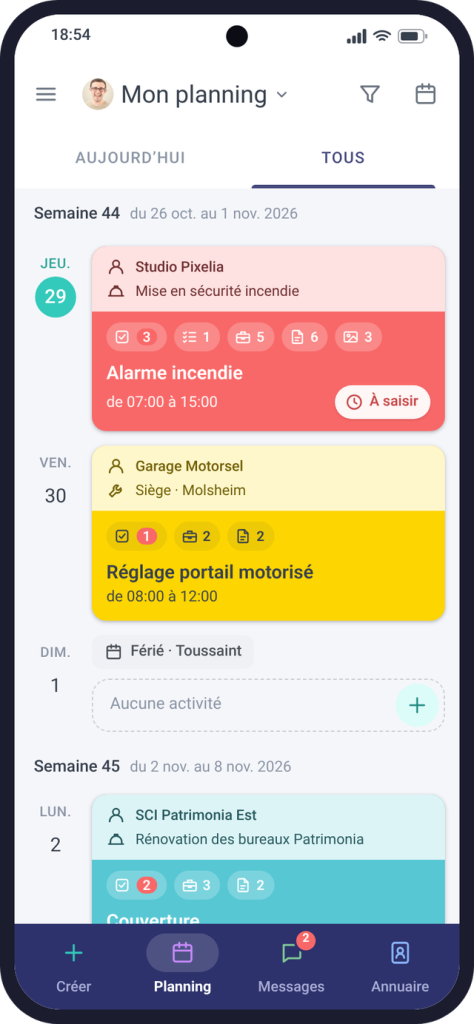
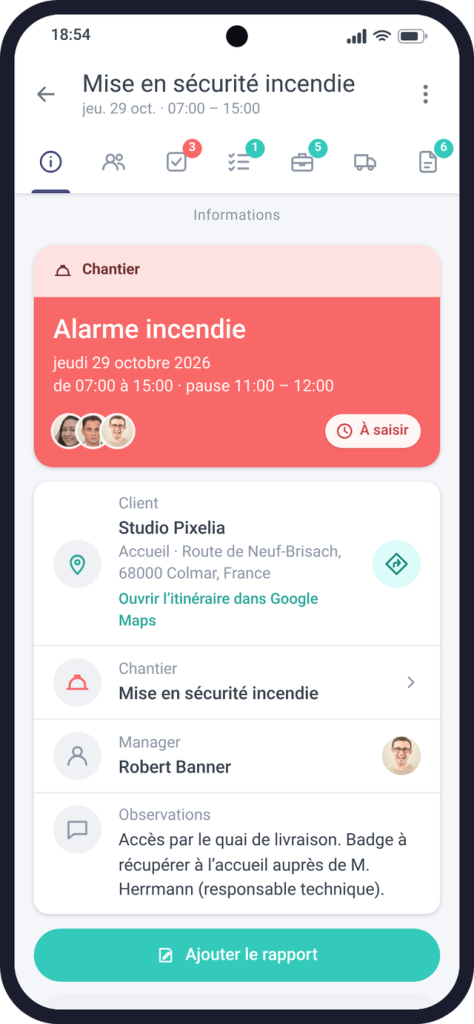
In the field, technicians have the information they need for their interventions in the mobile app: activities to complete, teams deployed, customer details and useful information about the site.
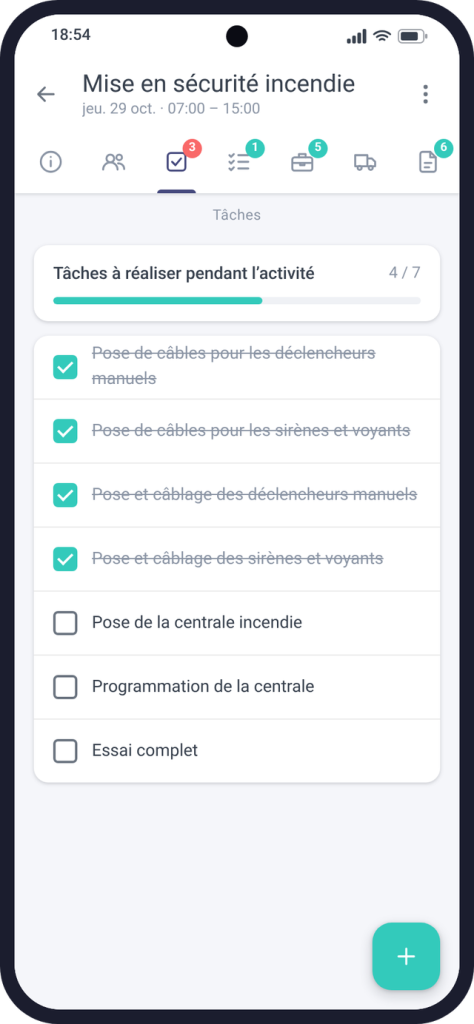
Each activity opens a full record: address with directions, manager, notes, team, tasks to tick off, equipment, vehicle and documents. The mobile app follows the web platform’s style guide, with a light and a dark mode.
Work progress
Quantities reported from the site
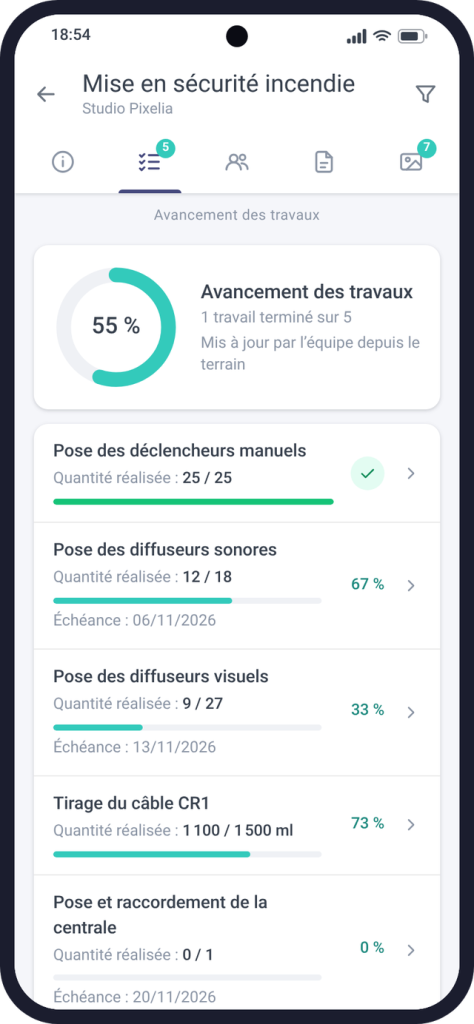
With the mobile app, information entered in the field is sent in real time to the web platform: timesheets, photos, reports or task progress. Managers can track activity more precisely and have up-to-date information without waiting for the teams to return.
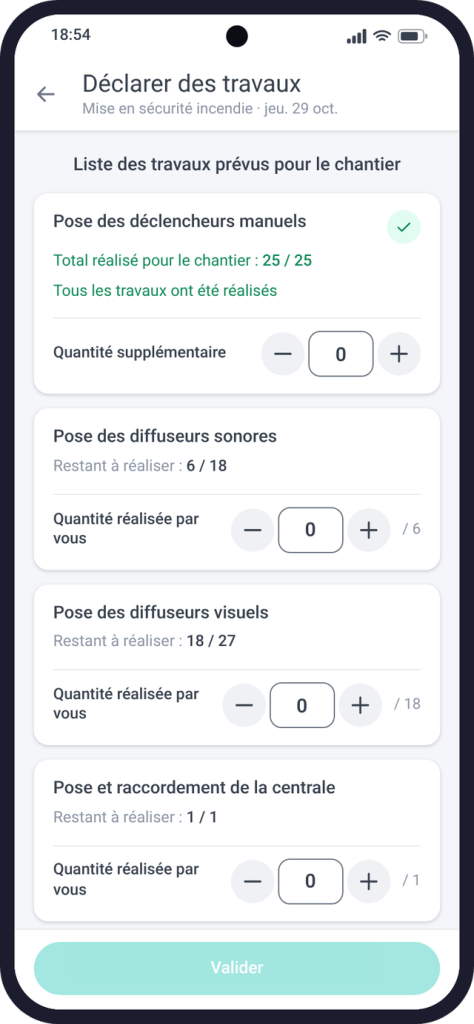
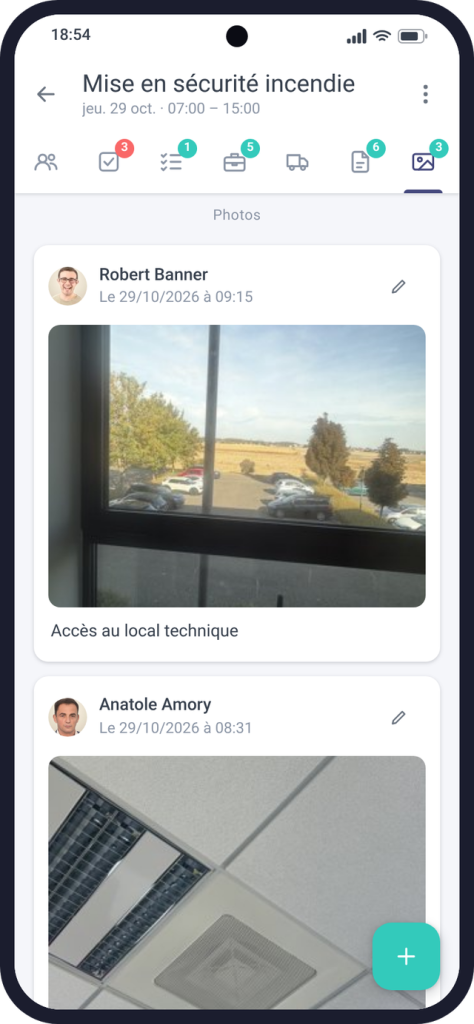
Technicians report the quantities completed for each item planned on the site: number of detectors installed, metres of cable pulled. Techtime calculates the progress of each item and of the site, with its deadlines. Captioned, dated photos feed the site photo report.
Hours and reports
Timesheets, reports and signatures on site
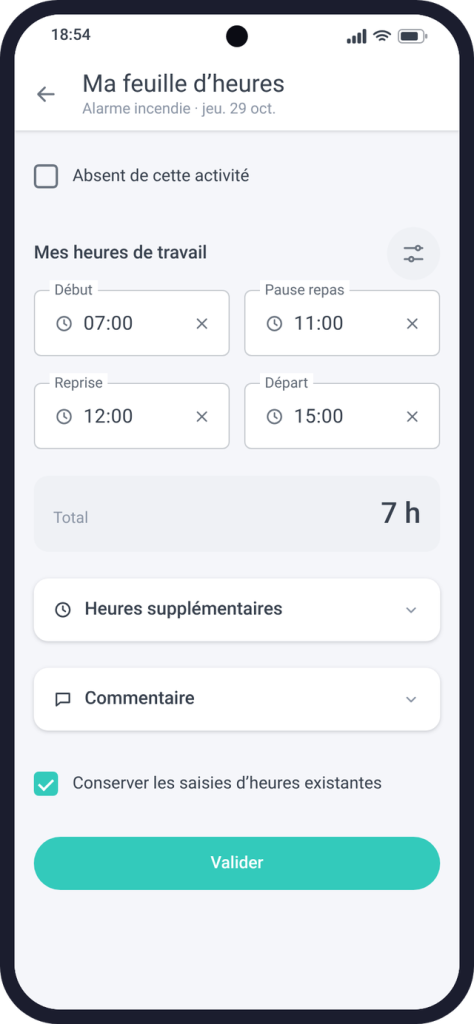
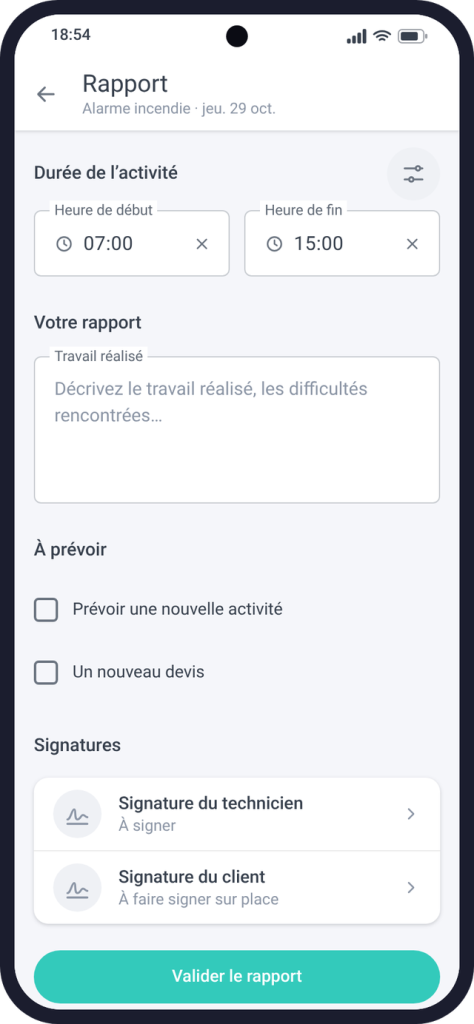
The timesheet is filled in from the phone: start and end times, break, overtime, absence, comment. At the end of the activity, the technician writes their report, notes what still needs planning (a new activity, a new quote) and has the customer sign directly on the screen.
Checking hours
Attendance sheets approved in the office
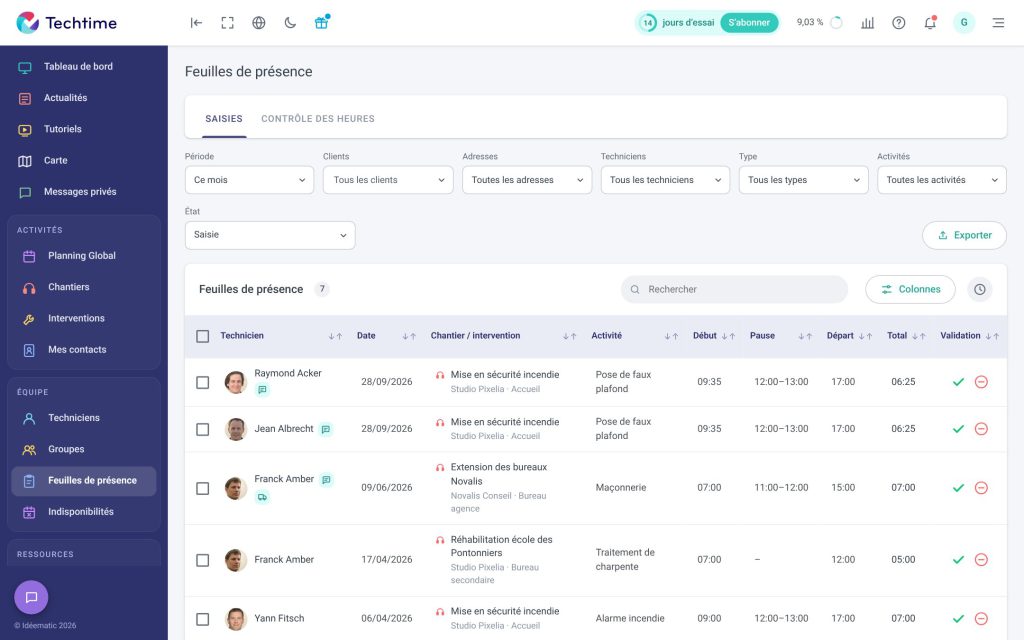
In the office, attendance sheets arrive with no re-keying. Managers check them by period, customer, technician or activity, approve or reject them, then export them.
Map and messaging
Knowing where the teams are and talking to them
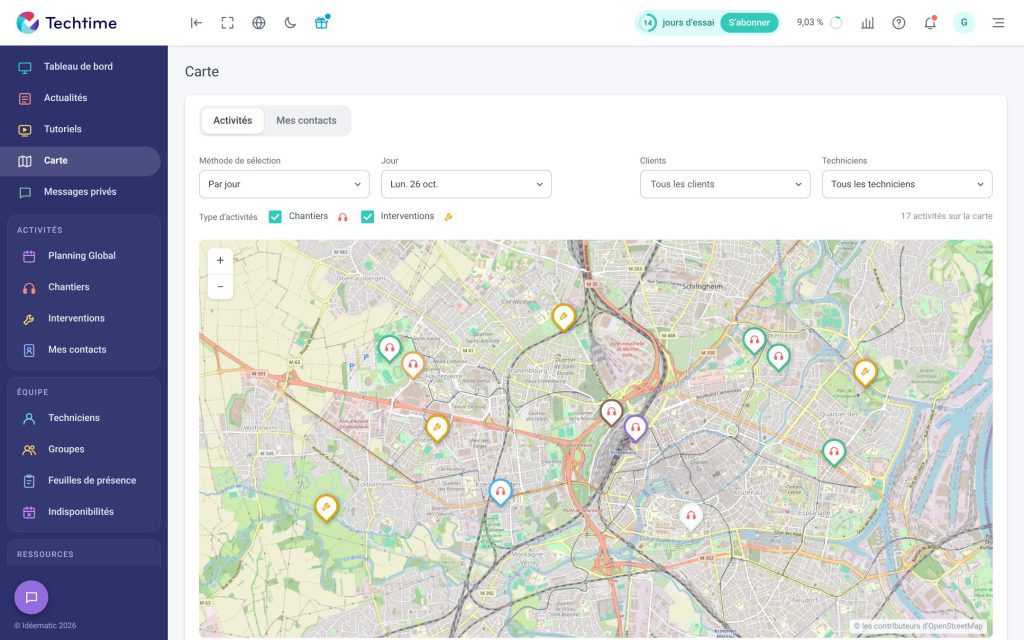
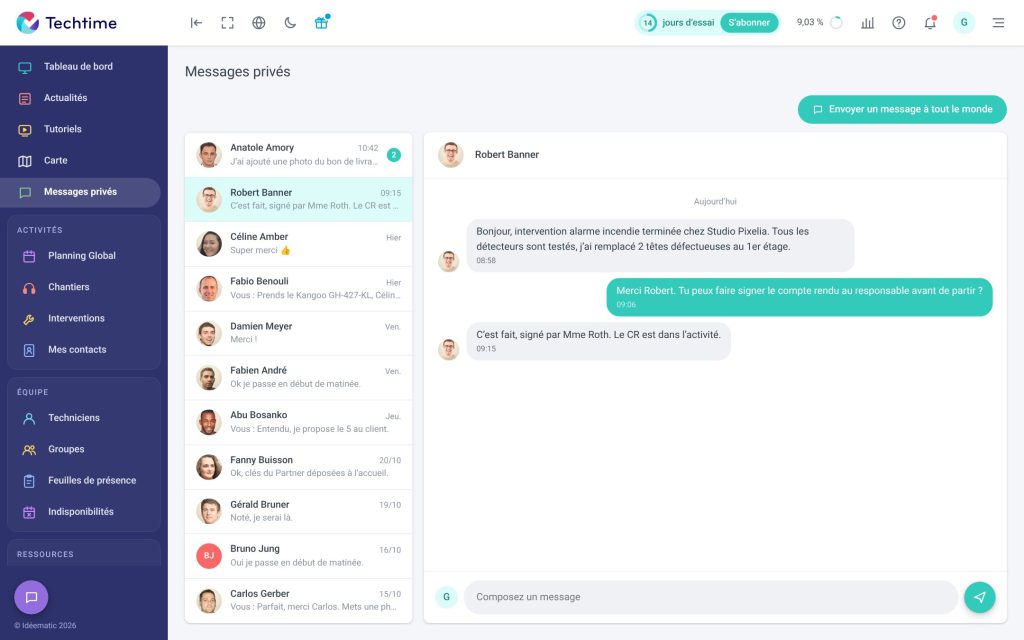
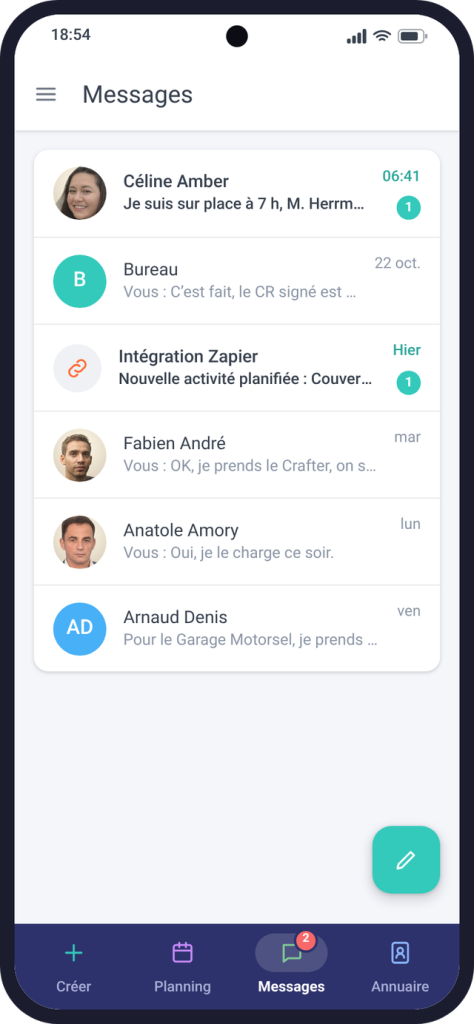
The map shows the day’s activities, filtered by customer or technician, as well as contacts. Private messaging connects the office and the field, on the web and on mobile: a conversation with a technician or a message sent to the whole team. Notifications alert users to scheduled or changed activities, new messages and reports received.
Management
Measuring activity to make better decisions
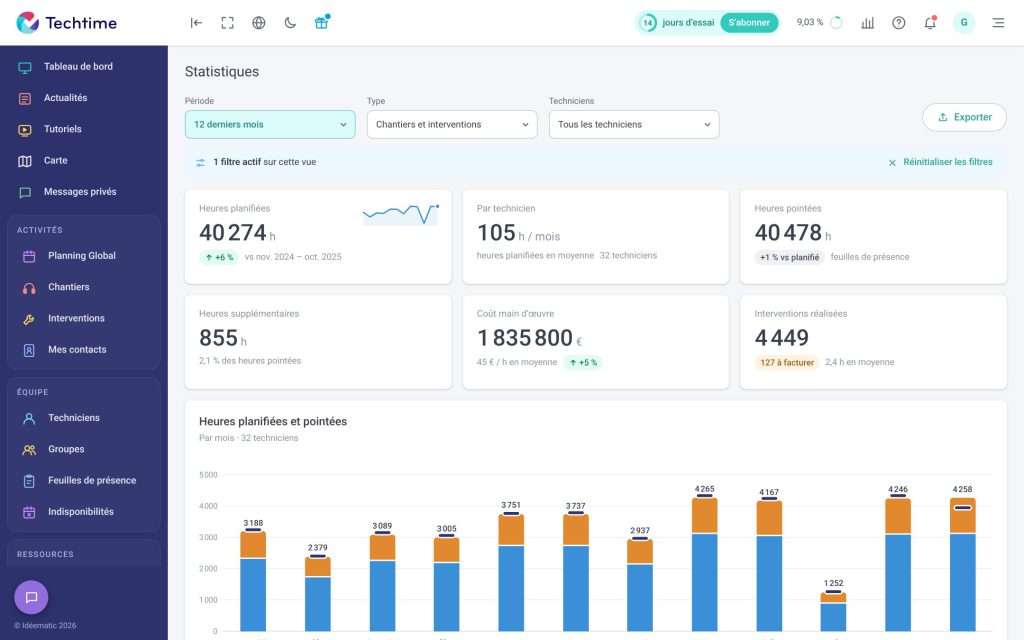
Statistics compare planned and clocked hours, overtime, labour cost calculated from each technician’s hourly cost, and interventions completed or to be invoiced. Data can be exported for use in the company’s management tools. Techtime also works with Zapier, which connects it to other applications: a scheduled activity can, for example, trigger an action in another company tool.
Getting started
Guided onboarding within the software
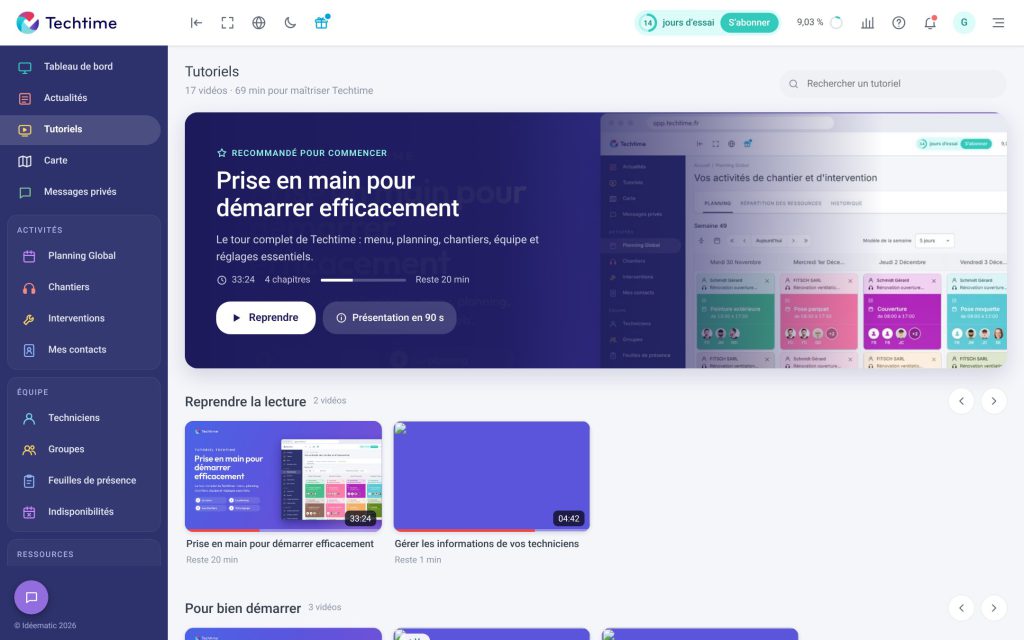
Video tutorials are built into the software: getting started, creating a site, scheduling an activity, managing technicians, attendance sheets, mobile access. Each user picks up where they left off.
For several years, its design has been based on regular discussions with construction professionals to understand their practices, constraints and day-to-day needs. Techtime is thus the result of design work carried out as close as possible to real business use.
Our technical answer
Web and mobile development technologies
Techtime had to meet several technical constraints: ensuring a smooth experience on the web and on mobile, fast exchanges between the applications, asynchronous processing and real-time reporting of information from the field. The technical architecture was designed to meet these needs while remaining scalable and maintainable over time.
- Ruby on Rails for the back end (APIs) and back office
- React JS for the web client
- React Native for the mobile client
- Firebase for notifications
- ActionCable for real-time handling
- PostgreSQL for the database
The new interface first took the form of functional prototypes, web and mobile, reviewed screen by screen before development, and a design system that sets out the components, colours and behaviours for the developers.
Built to last
A product that evolves with its users
This project illustrates our approach to bespoke software development: start from business uses, design a suitable architecture and evolve the solution as needs arise.
Idéematic maintains Techtime and evolves it based on user feedback: new features, new versions of the mobile apps, adaptation to system changes. It is the same approach we offer for our clients’ software, from scoping to application maintenance and support.


Do you need business software designed for your field teams?
Scheduling, interventions, reporting from the field: we design web and mobile applications built around your processes, then keep them evolving over time.